Colorize Photo
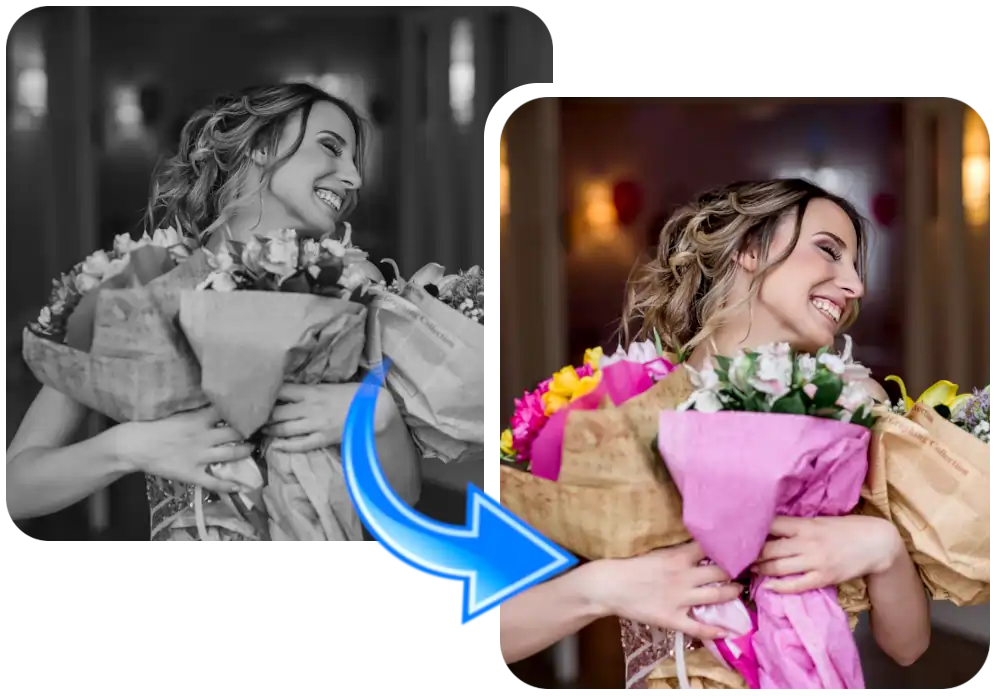
Make your black and white memories to life with Colorize Photo in Seconds. Add vibrant, realistic colors to old or monochrome images in just One Click.
Please sign in to start colorizing your photos

Upload Your Photo
Simply drag and drop or select a photo and simply get started.

Colorize your B/W Photo
Instantly colorize your black and white old photo into colorize photo with AI-powered colorizer.

High Resolution Download
Get your photo in stunning quality, perfect for any professional or personal use.
Use Cases of Colorize Photo
Discover how the AI Colorize Photo tool helps families, historians and creators bring black and white images to life.
Restore Old Family Photos
Bring old black and white family pictures back to life by adding realistic, natural colors to faces, clothing and backgrounds.
Memorial & Heritage Projects
Colorize photos of ancestors and loved ones to create meaningful, vibrant keepsakes for family albums and memorials.
Historical Photo Restoration
Add color to vintage and historical photographs for archives, museums, documentaries and educational presentations.
Genealogy & Research
Enhance old portraits and documents from family history research with realistic colors for clearer storytelling.
Photographers & Studios
Offer colorization as an add-on service for clients who want classic black and white shots transformed into color images.
Social Media & Sharing
Turn nostalgic black and white photos into eye-catching colorized posts for social media, blogs and family group chats.
DISCOVER
POPULAR FEATURES!
Explore the most loved PixiGenie editing and design tools that make your photo editing faster, easy, smarter and more magical!


Frequently Asked Questions about Colorize Photo
Find Quick Answers of your Questions related to PixiGenie Tools, Features or Subscription? We have all Answers of your Questions Frequently, Friendly and to the Point!
About Colorize Photo:
The Colorize Photo tool by PixiGenie uses AI to transform black and white or faded photos into vibrant, naturally colored images. Upload any grayscale photo and the AI analyzes the scene to add realistic colors to skin tones, clothing, backgrounds and objects, while preserving the original details and composition. This tool is perfect for restoring old family photos, bringing historical images to life, and creating colorized keepsakes for albums, social media or memorial projects. No editing skills, software or manual retouching required, just upload and colorize.
What is a Colorize Photo Tool?
A Colorize Photo tool is an AI-powered generator that adds realistic color to black and white or grayscale images. It studies the textures, shapes and tones in your photo to predict natural colors for skin, hair, clothing, sky, foliage and other elements, then applies them while keeping the original details intact. With PixiGenie, turning old monochrome photos into vivid, lifelike images becomes fast, simple and fully automated, no professional restoration skills required.
Benefits of using Colorize Photo
The Colorize Photo tool offers a hassle-free way to bring old photos to life. Here are some of its benefits:
- Easy photo upload: Easily upload your black and white photo by dragging and dropping or selecting it from your device.
- Quick process: Colorize old or faded photos in seconds without any complex editing steps.
- No watermark: Download clean, high-quality colorized photos without any promotional branding.
- High-quality output: Get natural, realistic colors that preserve the original details.
- Instant results: Bring old memories to life without manual retouching.
- Versatile use cases: Perfect for family photos, historical images and memorial keepsakes.
